Getting Started
INFO
You can find the reference code for this section here.
Now that you've set up your development environment, you're ready to make your first mod!
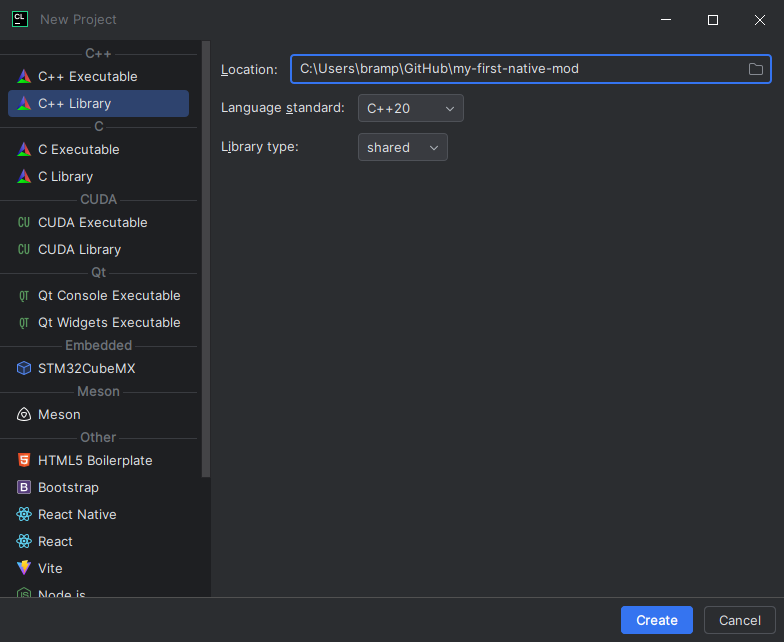
Start by creating a New Project in CLion, and selecting C++ Library. Set the Language standard to at least C++20, and the Library type to shared. This will make your code compile to a .dll file that can be injected into the game.
In the top right, you will see a dropdown labeled Debug. Select it, click Edit CMake profiles..., and make sure the Debug profile is using the Visual Studio toolchain you created.
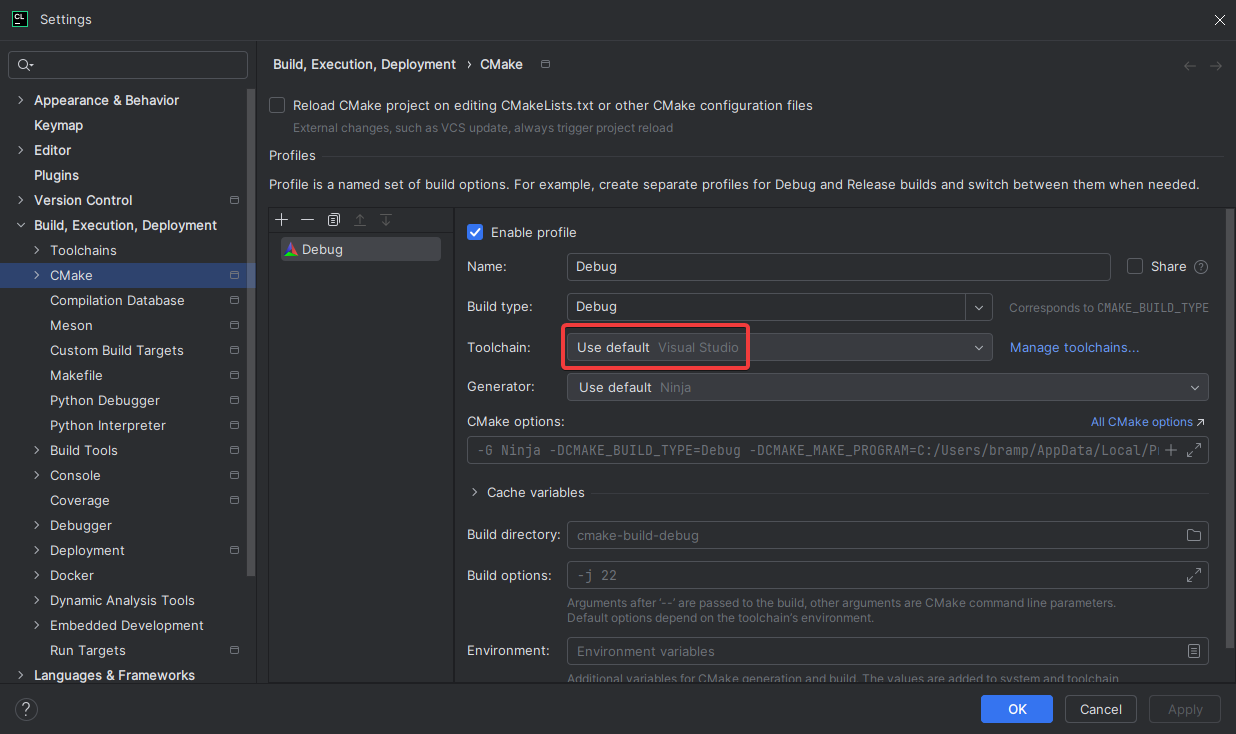
Configuring CMake
Open CMakeLists.txt. It should look something like this:
cmake_minimum_required(VERSION 3.31)
project(project_name_here)

set(CMAKE_CXX_STANDARD 20)

add_library(project_name_here SHARED library.cpp)
Above add_library, add the following:
set(CMAKE_MSVC_RUNTIME_LIBRARY "MultiThreadedDLL")This configures your DLL to use the release runtime library, which ensures ABI compatibility (TBA!!!!!!!!!!!!!!! ADD A LINK TO THE ABI COMPATIBILITY ARTICLE RN!!!!!!!!!!!!!!!!) with the game when building in debug mode. Without this, you wouldn't be able to use standard library types like std::string with the game!
NOTE
The above runtime library example is a general approach that will keep the mod binary smaller and work for most cases, but could result in runtime errors if the user's machine does not have the appropriate Visual C++ redistributable installed. If needed, a more advanced setup that can be tailored to your mod's needs is addressed in Setting the Runtime Library.
Writing DllMain
Right click library.cpp and library.h and click Delete. Right click the root folder in the project view, click New > C/C++ Source File. Name the file dllmain.cpp.
Add the following code to dllmain.cpp:
#define NOMINMAX
#include <Windows.h>
#include <cstdlib>

static DWORD WINAPI startup(LPVOID dll) {
    // The call to `std::abort` will just crash the game to show us that the DLL was injected.
    std::abort();
}

// `DllMain` is the function that will be called by Windows when your mod is injected into the game's process.
BOOL WINAPI DllMain(HINSTANCE hinstDLL, DWORD fdwReason, LPVOID lpvReserved) {
    switch (fdwReason) {
    case DLL_PROCESS_ATTACH:
        // DLL_PROCESS_ATTACH means the DLL is being initialized.

        // We create a new thread to call `startup`.
        // This is necessary since we can't use most Windows APIs inside DllMain.
        CreateThread(nullptr, 0, &startup, hinstDLL, 0, nullptr);
        break;

    case DLL_PROCESS_DETACH:
        // DLL_PROCESS_DETACH means that the DLL is being ejected,
        // or that the game is shutting down.

    default:
        break;
    }

    return TRUE;
}
INFO
More information about DllMain can be found here.
Now, update your CMakeLists.txt to compile dllmain.cpp instead of library.cpp:
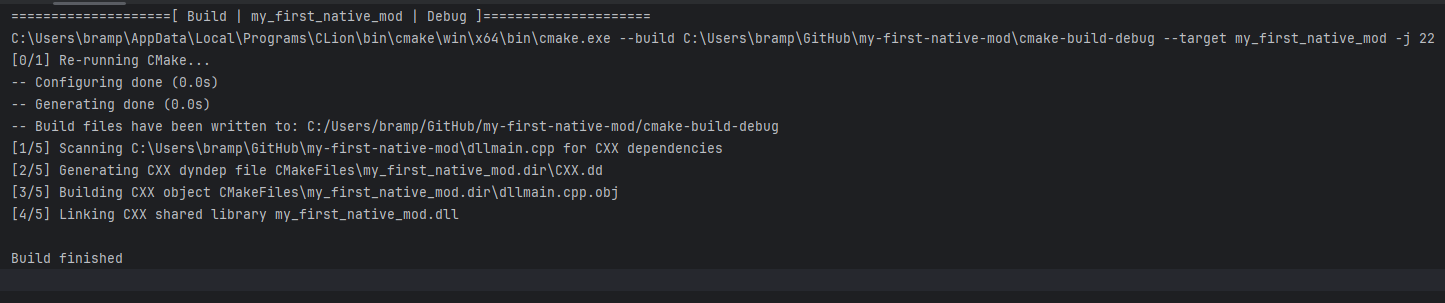
add_library(my_first_native_mod SHARED dllmain.cpp)Finally, click the hammer icon in the top right of the IDE, and build the project! If all went well, you should see this:
Now, inject the DLL into Minecraft. If your game crashed, that means it worked!